
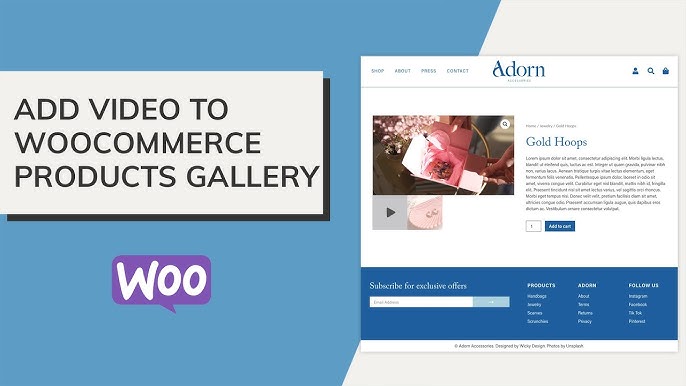
Why product videos matter more than static images
Online shopping depends heavily on how clearly a product is shown. Images still help, but they often fall short when the product needs explanation. Movement, usage, and real-world interaction are usually what convince a buyer.
That is where video content changes things. A single clip can show size, texture, functionality, and real use cases in a way images can’t match. Because of this, many stores are now shifting toward building a proper product video gallery for WooCommerce instead of relying only on image-based product displays.
When customers can see a product in action, hesitation drops. It feels more real, less assumed. This simple shift often leads to better engagement and fewer abandoned product pages.
A properly structured WooCommerce video in product gallery setup helps bridge that gap between browsing and buying by giving customers a clearer understanding of what they are about to purchase.
What a multi-video product gallery actually changes
Adding just one video is helpful, but multiple videos create a much richer product experience. Instead of a single viewpoint, customers get different angles, different use cases, and even variation-based explanations.
A good product video gallery for WooCommerce plugin typically helps with:
- Showing multiple product features in separate clips
Instead of one long video, each feature can be explained clearly in its own short section, making it easier to digest. - Demonstrating real usage scenarios
Products often look different in real environments. Multiple videos help show context, not just studio visuals. - Highlighting variations separately
Different colors, models, or sizes can each have their own video, which avoids confusion at checkout. - Building stronger trust through visual proof
Seeing the product from multiple angles reduces doubt and increases confidence.
This approach makes the WooCommerce video in product gallery feel more like a guided experience rather than just media content placed on a page.
A structured way to integrate multiple product videos
Many store owners try to add videos manually through embeds or custom code, but that approach quickly becomes hard to manage when scaling.
A more structured approach is needed, especially for stores with large catalogs.
This is where a dedicated solution like the WooCommerce Product Video Gallery plugin by FmeAddons becomes useful. It allows multiple videos to be attached directly inside the product gallery without breaking the layout or slowing down navigation.
Instead of treating videos as separate elements, it integrates them into the same browsing flow as images. That makes the product video gallery for WooCommerce feel natural to the customer.
With this setup, videos can be:
- Added directly from the product backend
Store owners don’t need extra plugins or page builders to place videos. - Displayed alongside product images in a gallery format
Customers can switch between images and videos without leaving the product page. - Embedded from platforms like YouTube or Vimeo
This avoids heavy uploads while still supporting high-quality playback. - Used for both single and multiple video setups
Products can have one featured video or a full gallery depending on need.
This flexibility is what makes a proper WooCommerce video in product gallery system more scalable than basic embedding methods.
How multiple videos improve customer understanding
A single product video often tries to cover everything at once, which can make it overwhelming or too fast-paced for some users.
Multiple videos solve this by breaking content into focused segments.
For example:
- One video can show unboxing and first impression
- Another can focus on features and functionality
- A third can demonstrate real-life usage or comparison
- Additional clips can highlight variations or accessories
This layered approach creates a more complete buying experience.
When implemented properly inside a product video gallery for WooCommerce, customers don’t feel rushed. They can watch only what they need, in the order they prefer.
This also reduces confusion, especially for technical or customizable products where clarity is important before purchase.
A well-structured WooCommerce video in product gallery setup helps guide customers step-by-step without forcing them into long, single-format videos.
Common approaches and their limitations
Not every store uses a structured plugin-based setup. Some rely on simpler or manual methods, which often create limitations over time.
Here are a few common approaches:
- Embedding videos directly in product descriptions
This works for basic use, but it breaks layout consistency and makes galleries feel incomplete. - Using page builders for video sections
These can add flexibility but often lack proper integration with product galleries. - Adding a single featured video only
This limits storytelling and doesn’t fully explain complex products. - External links to video platforms
These pull users away from the product page, which can reduce conversion chances.
These methods might work for small stores, but they don’t scale well. They also don’t create a seamless product video gallery for WooCommerce experience where everything is unified.
Why a dedicated plugin fits this use case better
A structured system matters more as the catalog grows. That is where using a dedicated plugin becomes practical instead of optional.
The WooCommerce Product Video Gallery plugin by FmeAddons fits this scenario because it keeps videos organized inside the product structure rather than scattered across different sections.
It supports:
- Multiple video uploads per product without clutter
- Gallery-based viewing instead of isolated video blocks
- Variation-level video support for clearer product differences
- Smooth integration with existing WooCommerce product pages
This makes the WooCommerce video in product gallery experience more consistent across the store.
Instead of rebuilding layouts for every product, store owners maintain one system that works everywhere.
Practical tips for better video usage in galleries
Even with the right setup, how videos are used still matters.
A few practical considerations include:
- Keep videos short and focused on one idea
Short clips are easier to watch and retain attention better. - Use different angles instead of repeating the same view
This adds depth without overwhelming the customer. - Prioritize product clarity over production quality
Simple, clear videos often perform better than highly edited ones. - Avoid adding unnecessary videos just to fill space
Every video should serve a clear purpose in the product video gallery for WooCommerce. - Test how videos load on mobile devices
Most users browse on mobile, so performance matters.
These small adjustments make the WooCommerce video in product gallery more effective in real buying situations.
Final thoughts
Multiple product videos are no longer just a “nice addition.” They are becoming a practical part of how customers evaluate products online. When structured properly, they reduce uncertainty and help buyers make faster decisions.
A dedicated system like the WooCommerce Product Video Gallery plugin by FmeAddons fits naturally into this requirement by keeping everything inside the product gallery instead of scattered across the page.
When used correctly, a product video gallery for WooCommerce turns into more than just media display—it becomes a direct contributor to product understanding and purchase confidence.
