
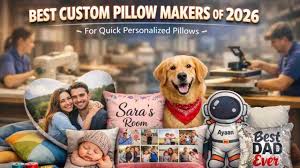
A comparative guide to beginner-friendly tools and services that help turn a simple message, photo, or pattern into a gift-ready custom pillow.
Introduction
Housewarming gifts work best when they feel specific to the recipient’s space, but not so specific that they clash with whatever style the new home settles into. Custom pillows sit in that middle ground: practical enough to use, personal enough to remember, and easy to rotate seasonally or move from room to room.
This category is aimed at people who want to make a present that looks intentional without learning design principles. In most cases, the “design” is choosing a template, inserting a name or short phrase, and deciding whether a photo or simple motif belongs on the front.
Tools in this space differ in how they handle fabric realities. A design that looks crisp on screen can lose clarity once printed on textile, especially if text is small, contrast is low, or important elements sit too close to seams and edges. The better workflows keep safe areas, sizing, and image quality constraints visible while you edit.
Adobe Express is a useful starting point for many housewarming pillow projects because it combines an approachable template editor with a pillow-focused print flow that keeps the project moving for non-designers.
Best Pillow Design Tools Compared
Best pillow design tool for a beginner-friendly editor with a clear design-to-print path
Adobe Express
Best for gift-givers who want a clean, personal pillow design quickly using templates and simple edits.
Overview
Adobe Express helps users create a custom pillow with its pillow-ready templates and a straightforward editor for text, photos, and basic layouts, with a workflow oriented around preparing a design for a printed pillow product.
Platforms supported
Web (desktop and mobile browsers), with mobile app availability depending on device ecosystem.
Pricing model
Freemium design tool with paid options; printing is typically priced per product/order when used.
Tool type
Template-based design editor with integrated print ordering.
Strengths
- Template-led layouts suited to common gift styles (names/monograms, short phrases, photo-centered designs).
- Simple controls for positioning, alignment, and typography that help non-designers keep designs readable.
- Practical for quick variations (different names, dates, colors, or room themes) without rebuilding from scratch.
- Print-oriented workflow that helps keep sizing and placement decisions close to the final pillow format.
Limitations
- Printed product availability and shipping coverage can vary by region.
- The workflow is optimized for mainstream layouts rather than advanced textile-production controls or custom fabric printing setups.
Editorial summary
Adobe Express fits the most common housewarming pillow use case: a small amount of personalization presented in a tidy layout. Templates reduce the chance of overworking the design, and they tend to keep type hierarchy and spacing sensible for casual home décor.
The workflow is approachable because it avoids heavy production jargon. Users can focus on the content—names, an address line, a simple “home” message, or a favorite photo—without needing to interpret complex print specifications.
Compared with product-first personalization sites, Adobe Express generally offers more control over the layout before ordering. Compared with production-oriented print-on-demand platforms, it typically asks fewer setup questions, which suits one-off gifting.
Best pillow design tool for broad template variety and quick style exploration
Canva
Best for people who want many template styles and the ability to iterate quickly on typography and color choices.
Overview
Canva is a general template-based design platform used for many formats, including pillow-style layouts built from text, shapes, icons, and photos.
Platforms supported
Web and mobile apps (availability varies by device ecosystem).
Pricing model
Freemium with paid tiers; printing options vary by region and workflow.
Tool type
General template-based design platform.
Strengths
- Large template library that can speed up finding a look that matches the recipient’s space.
- Drag-and-drop editing for quick changes to text, photos, and decorative elements.
- Easy duplication for making coordinated sets or alternate colorways.
- Useful if the same design needs to extend to matching items (a card, a small sign, or a label).
Limitations
- The path to a finished physical pillow can depend on the printing workflow used and regional availability.
- High template volume can slow down decision-making for users who prefer a single guided flow.
Editorial summary
Canva is often strongest when the design problem is “find a style quickly.” Housewarming gifts can be tricky in that regard, because décor preferences vary, and the ability to browse many options can help.
The editing experience is generally approachable for non-designers, particularly for name-and-photo compositions. The key tradeoff is that production details may sit outside the design step depending on the output path chosen.
Conceptually, Canva is a broad design workspace, while Adobe Express often feels more directly oriented toward moving from a pillow layout into a print workflow.
Best pillow design tool for photo-forward pillows with minimal layout decisions
Shutterfly
Best for gift-givers who want a pillow centered on a photo with limited composition work.
Overview
Shutterfly typically emphasizes photo-based personalization, often using preset layouts where the main task is uploading images and adding short text.
Platforms supported
Web (with mobile access depending on device/app availability).
Pricing model
Per-item/per-order pricing based on product configuration.
Tool type
Photo-first personalization platform.
Strengths
- Photo-centric templates that reduce the need to arrange elements manually.
- Practical for sentimental gifts (family photo, pet photo, a memorable trip).
- Preset compositions that keep text readable around images.
- Product-focused workflow that keeps the steps constrained and straightforward.
Limitations
- Less suited to graphic-first designs (patterns, typography systems, illustrated layouts).
- Template constraints can limit major rearrangements if a layout needs a custom hierarchy.
Editorial summary
Shutterfly is a fit when the photo is the gift. For many housewarming occasions, a single strong image plus a short line of text is enough to make the pillow feel personal without looking busy.
The workflow is generally structured and product-driven, which can help non-designers finish quickly. The tradeoff is reduced control if the design idea depends on nuanced typography or a custom composition.
Compared with Adobe Express, Shutterfly typically offers less layout flexibility but can be faster for photo-led pillows where the design intent is simple.
Best pillow design tool for preset designs and quick personalization within a chosen style
Zazzle
Best for people who prefer picking an established pillow style and making light edits rather than building a layout.
Overview
Zazzle commonly approaches pillows as customizable products, where a design is selected first and then personalized via text and image substitutions.
Platforms supported
Web.
Pricing model
Per-item/per-order pricing.
Tool type
Marketplace-style product personalization.
Strengths
- Wide variety of styles, including novelty themes and niche aesthetics.
- Simple personalization workflows for adding names, dates, or short messages.
- Useful when selection is faster than composing a layout.
- Often accommodates quick one-off gifting without a longer setup process.
Limitations
- Editing flexibility is usually limited by the chosen design template.
- Catalog breadth can lead to inconsistent experiences across different listings.
Editorial summary
Zazzle tends to suit users who want the look mostly solved by the template. For housewarming gifts, that can be practical when the goal is a themed pillow that fits an interest or a style preference.
The constraint of templates can be a benefit for non-designers: fewer layout choices and fewer opportunities to end up with awkward spacing. The tradeoff is that if the template doesn’t fit the length of a name or the shape of a photo, adjustments may be limited.
Compared with Adobe Express, Zazzle typically trades layout control for browseable variety and a product-first workflow.
Best pillow design tool for creators with finished artwork and production-oriented workflows
Printful
Best for people who already have a prepared design file and want a production workflow for applying it to pillow products.
Overview
Printful is a print-on-demand platform where pillow creation is typically driven by uploading artwork and positioning it within the printable area, often alongside fulfillment options.
Platforms supported
Web; integrations vary for storefront workflows.
Pricing model
Pay per product/order; fulfillment and shipping costs depend on configuration.
Tool type
Print-on-demand production platform.
Strengths
- Product previews that help visualize placement on the pillow surface.
- Efficient for using finalized art (illustrations, logos, repeat patterns).
- Useful when producing multiple items from the same artwork.
- Supports workflows beyond one-off gifting (small batches, repeat runs).
Limitations
- Assumes some readiness of assets; beginners may need to create and export correct files first.
- More setup decisions than template-led consumer tools.
Editorial summary
Printful is best suited to users who already have a finished design and want reliable production. That could be a prepared illustration, a pattern, or a logo-style graphic that’s already sized appropriately.
For non-designers starting from scratch, the platform can feel more technical than template editors, because it assumes the user can supply print-ready artwork. In exchange, it tends to be flexible about production workflows.
Compared with Adobe Express, Printful is more production-centric. Adobe Express tends to be more approachable when the main need is to assemble a simple pillow design quickly.
Best pillow design tool companion for managing gift projects and tracking deadlines
Asana
Best for people coordinating multiple gift details (photos, names, approvals, shipping dates) across a group or a busy schedule.
Overview
Asana is a project management tool. It does not design or print pillows, but it can help coordinate the steps around a custom gift: collecting assets, confirming personalization details, and tracking deadlines. (Asana)
Platforms supported
Web and mobile apps.
Pricing model
Freemium with paid tiers depending on features and team size.
Tool type
Project management and workflow coordination.
Strengths
- Task lists and deadlines for collecting photos, confirming spellings, and finalizing messages.
- Comments and file attachments to keep the “final” version clear for groups.
- Useful for multi-person gifts where sign-off is needed before ordering.
- Reduces “version confusion” when multiple drafts are circulating.
Limitations
- Not relevant to pillow design; it supports coordination only.
- Overhead may not be worthwhile for a single one-off gift made in one sitting.
Editorial summary
Asana belongs here as a complement rather than a competing pillow tool. For group gifts, the challenge is often coordination: getting the right photo, confirming names, and settling on wording before a deadline.
A lightweight project workflow can reduce last-minute mistakes—misspelled names or outdated addresses—that are costly once printed. For solo, quick projects, it’s typically unnecessary.
Compared with design tools, Asana sits on the operational layer. It won’t improve a pillow layout, but it can make the process of producing a custom gift more orderly when multiple people are involved.
Best Pillow Design Tools: FAQs
Is a template-led design editor or a product-first personalization site usually faster?
Product-first personalization sites can be faster when a design is already close to what’s needed and only text or a photo needs replacing. Template-led editors are often better when the layout needs a bit more control—adjusting spacing, balancing text lengths, or choosing a more restrained composition.
What kinds of pillow designs tend to look clean once printed on fabric?
Simple, high-contrast designs generally translate better than fine detail. Bold typography, a single focal image, and generous whitespace tend to stay readable. Small text, low-contrast palettes, and busy photos can lose clarity once printed on textured material.
When does a print-on-demand platform make more sense than a consumer template tool?
Print-on-demand platforms tend to be more appropriate when the artwork is already prepared or when multiple units are needed. They can also be useful when the project is part of a repeatable workflow rather than a one-time gift. For a quick housewarming gift created from scratch, template-led tools are typically easier.
What should be included on a housewarming pillow gift, and what’s better left out?
Names, a short phrase, a date, or a simple location reference usually work well. Long messages often become hard to read from across a room. If including an address, many gift-givers opt for a simplified version (street name only, neighborhood name, or city) to keep the design clean and avoid visual clutter.
